What programs are in PROMAL?

Master Menu

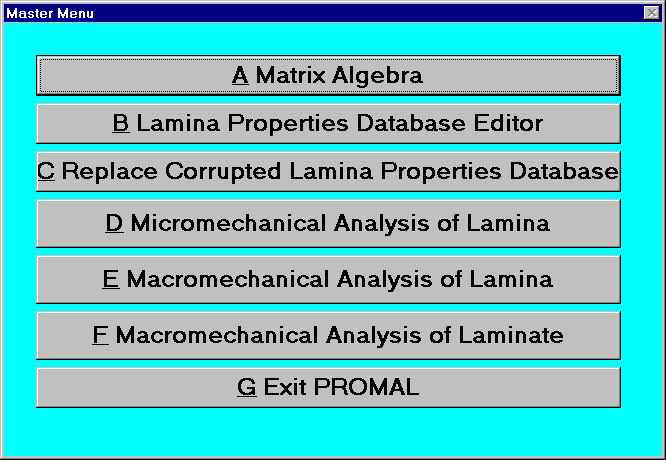
The master menu screen with five separate applications from which to choose from.

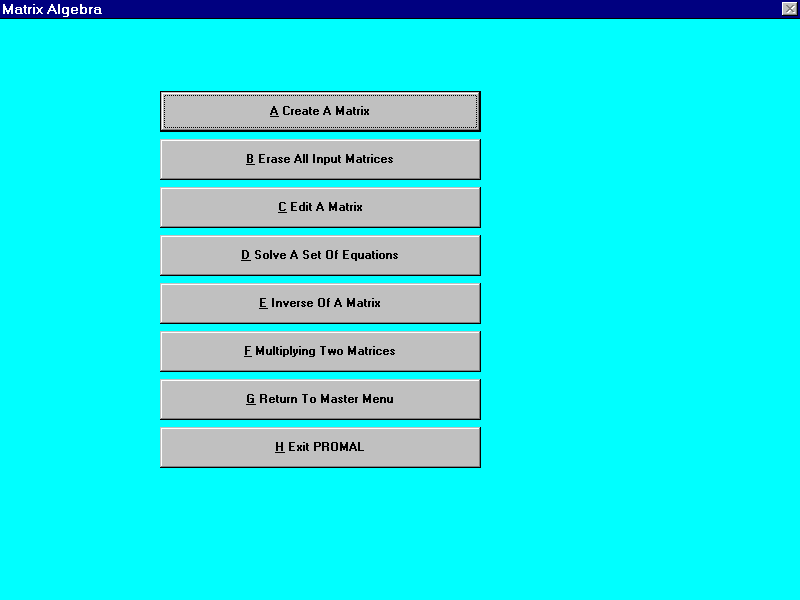
Promal for Windows-Matrix Algebra

Matrix Algebra

The first program conducts multiplication of matrices, solves a set of equations and finds the inverse of a matrix. This program allows you to concentrate on the fundamentals of the course while doing homework problems, rather than spending time conducting lengthy matrix manipulations.


Lamina Properties Database

In the second program you can enter the material properties of a composite lamina, update or correct the properties of an existing lamina, and simply review the properties.You can enter properties for up to a maximum of 100 different lamina materials. Properties of three typical composite systems - Graphite/Epoxy, Boron/Epoxy, Glass/Epoxy, and two typical isotropic metals- aluminum and steel are already entered for you in the database.


This program enters fourteen properties- the four elastic moduli, lamina thickness, five strength parameters, two thermal expansion coefficients and two moisture expansion coefficients of a specially orthotropic lamina.

Replace Corrupted Lamina Material Database

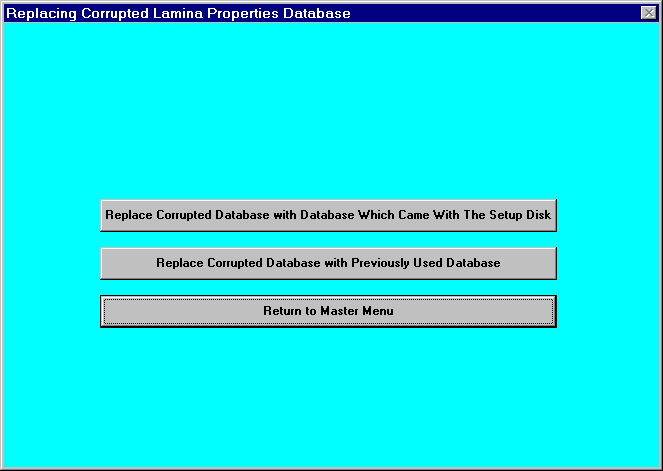
Sometimes, the material database for the lamina may get corrupted due to power shutdown, computer lockup, accidental rebooting, or other reasons. This option allows you to replace the material database by either:

The database which you had the last time you exited out of the program.

The database which you received with the disk. Note that the database on the disk has only five reserved materials.

Macromechanical Analysis of a Lamina

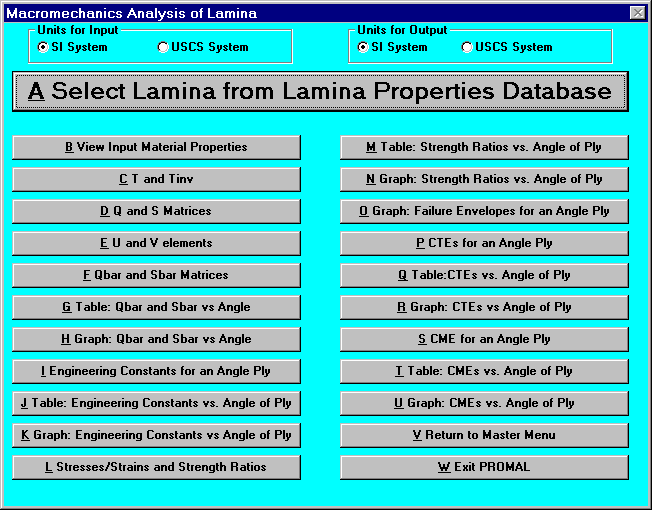
The fourth program conducts the macromechanical analysis of a lamina. The input mechanical properties of a lamina are chosen from the lamina properties database. You can then calculate the stiffness and the compliance matrices, the engineering constants and the strength ratios as a function of the ply angle in tabular or graphical form.


A Quick Example

Task:
Consider a typical Graphite/Epoxy lamina, find the optimum fiber angle for a load with the following stress components. Use the maximum stress failure criterion for your analysis. Given the following:

LongitudinalStress = 4 KPsi
Transverse Stress = 2 KPsi
Shear Stress = 1 Kpsi

Procedure:
Click on the Macromechanics of a Lamina Button in the Master Menu.
Click on the proper system of units for the input and output.
Click on Select Lamina from Lamina Properties Database Button to select the material properties of the Graphite/Epoxy.
To analyze the lamina for the optimum fiber angle for the given load, select the Graph: Strength Ratios vs. Angle of Ply Button. Enter the components of the stress vector. Once you enter these values, you are presented with the first of four graphs showing the strength ratio as a function of the angle of ply. The second graph shows the results of using the Maximum Stress failure theory.
After inputting the given data, Promal produces the following graphical output
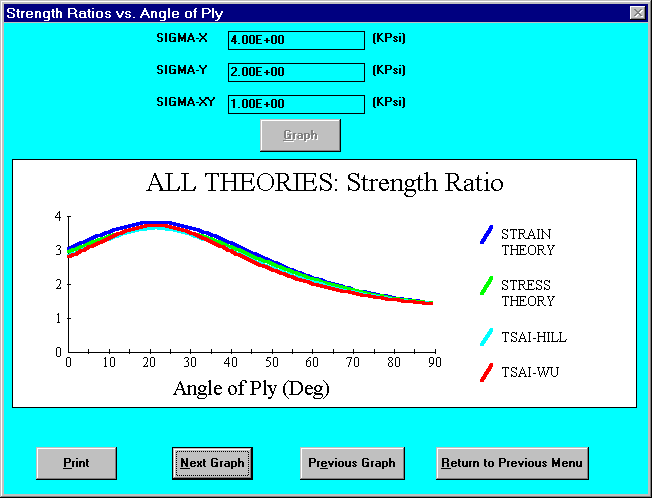
From the graph, the lamina will not fail (SR>1) for fiber angles between 10 and 30 .
Further investigation using Stresses/Strains and Strength Ratios Button shows that 22.5 is the optimum fiber angle as it has a strength ratio of 3.784. So one can apply 3.784 times the stresses given above before the lamina fails.

Micromechanical Analysis of a Lamina

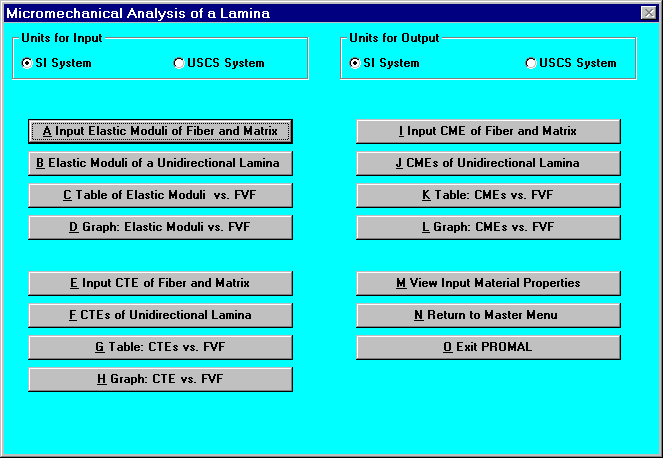
The fifth program conducts the micromechanical analysis of a lamina using formulas from the strength of materials approach. You enter the elastic moduli, coefficients of thermal and moisture expansion of the fiber and the matrix from the keyboard. You can then calculate the elastic moduli, thermal and moisture expansion coefficients of a unidirectional lamina for a particular fiber volume fraction. The program also displays these properties in a tabular/graphical form as a function of the fiber volume fraction.


A Quick Example

Task
The following are the mechanical properties of the constituents of a Glass/Epoxy lamina:

Fiber Young's modulus = 70 GPa
Matrix Young's modulus = 3.5 GPa
Fiber Poisson's ratio = 0.2
Matrix Poisson's ratio = 0.35
Fiber coefficient of thermal expansion = 0.5E-05 m/m/°C
Matrix coefficient of thermal expansion = 6.0E-05 m/m/°C
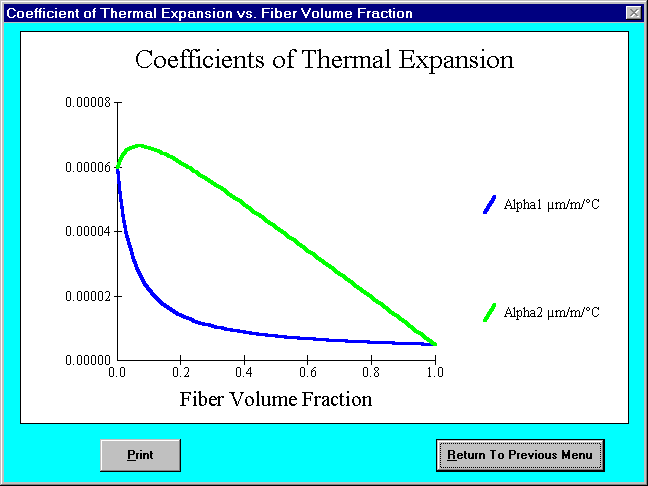
Find the fiber volume fraction for which the thermal expansion coefficient perpendicular to the fibers is a maximum.

Procedure:
Click on Input Elastic Moduli of Fiber and Matrix Button to enter the elastic moduli of the fiber and the matrix.
Click on Input CTE for Fiber and Matrix Button to enter the coefficient of thermal expansion for fiber and matrix. Note your units!
Click on the Graph: CTEs vs. FVF Button.

From the graph, as shown in above Figure, we see that the maximum transverse thermal expansion coefficient occurs when the fiber volume fraction is between 0.05 and 0.1. Next, using these values as the upper and lower limits, iteratively use the CTEs of Unidirectional Lamina Button to find the fiber volume fraction for which the thermal expansion coefficient is a maximum. Following this method, a fiber volume fraction of 0.071 is found to produce the maximum transverse coefficient of thermal expansion.

Macromechanical Analysis of a Laminate

The sixth program conducts the macromechanical analysis of a laminate. The laminate can consist of a single type of lamina, hybrids, and sandwich panels. The material properties for the lamina are selected from the material database of the second program. Next you enter the orientation of the plies and the corresponding material number of each ply in the laminate. You can also read laminate stacking sequences from a data file. Now you can display the orientation and ply properties, the stiffness and the compliance matrices, and the equivalent plate properties of the laminate. Enter the mechanical and hygrothermal loads to calculate the global and local stresses and strains, strength ratios at the top, middle and bottom surface of each ply in the laminate.


A Quick Example

Task:
Determine the uniaxial stress you can apply in the x-direction to a (0/45/60/90) Graphite Epoxy laminate. The x-direction is parallel to the fibers in the 0° ply. Use the maximum stress criterion as a basis for your answer. Use the properties of unidirectional Graphite/Epoxy from the lamina properties database.

Procedure:
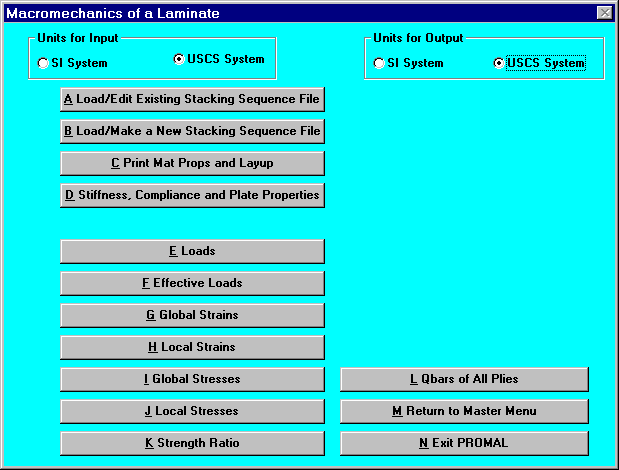
Click on the Macromechanics of a Laminate Button in the Master Menu.
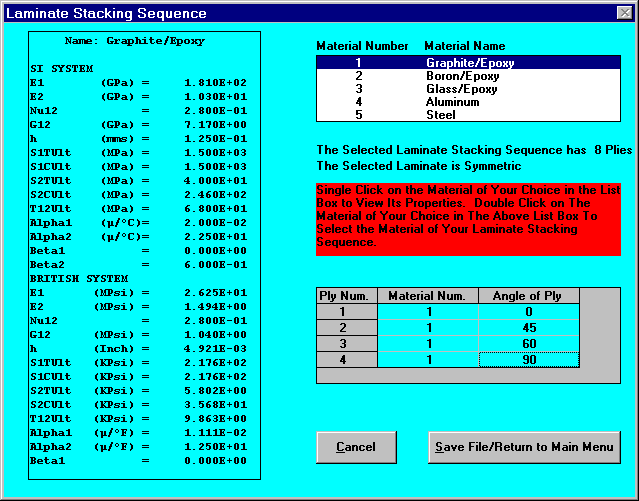
Click on the Load/Make a New Stacking Sequence File Button to make a new laminate stacking sequence. Since the subscript "s" on the laminate stacking sequence denotes a symmetric laminate, enter eight for the number of plies. Choose the options of a single material and a symmetric laminate. Double click on Graphite/Epoxy in the Material ListBox to flood the material number column in the laminate stacking sequence grid or enter the material number manually in the grid. Enter the angle of the top four plies from top to bottom. Click on Save/Return to Main Menu Button to save the data file.
The task is to find the maximum uniaxial load you can apply in the X-Direction based on the Maximum Stress failure theory.
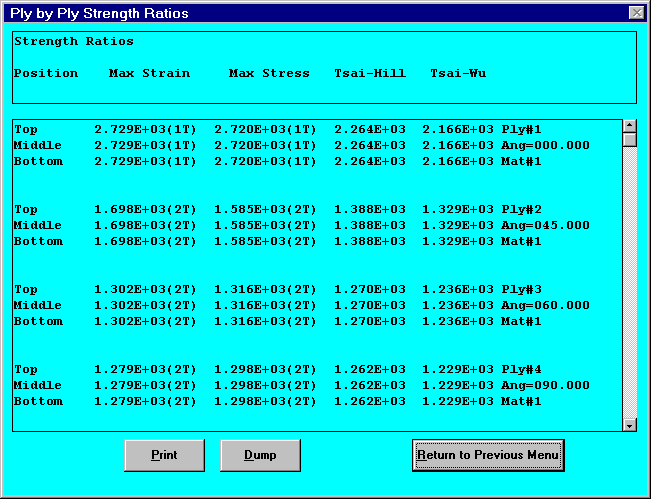
Click on Applied Mechanical and Hygrothermal Loads Button to enter a unit force per unit length in the X-direction, that is, Nx=1 lb/in. Click on Strength Ratios Button to view the table of strength ratios and are given below.


Minimum obtained value of strength ratio
= 1.298x10³ (90o ply)
Maximum value of uniaxial load Nx
= Load x Strength Ratio
= 1.298x10³ lb/in.
Thickness of the laminate
= Number of plies x Thickness of one ply
= 0.039368 inches.
Maximum allowable uniaxial stress in X-direction
= Maximum value of load/ Thickness of laminate
= 1.298x10³/0.039368
= 32.971 Ksi.
Minimum obtained value of strength ratio
= 1.298x10³ (90o ply)
Maximum value of uniaxial load Nx
= Load x Strength Ratio
= 1.298x10³ lb/in.
Thickness of the laminate
= Number of plies x Thickness of one ply
= 0.039368 inches.
Maximum allowable uniaxial stress in X-direction
= Maximum value of load/Thickness of laminate
= 1.298x10³/0.039368
= 32.971 Ksi.